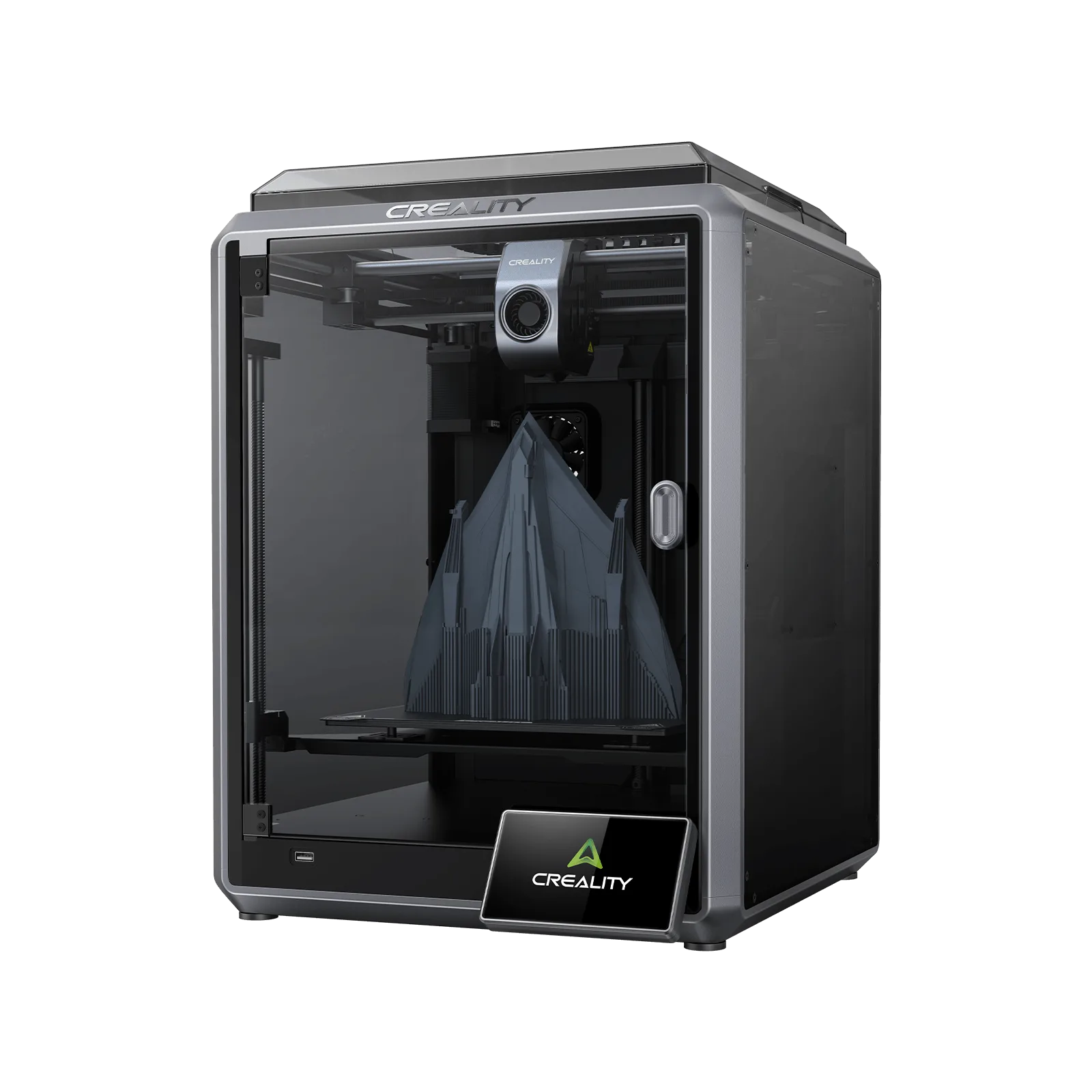
Creality K1 and K1C Review: Is It Worth It for Industrial Use in 2026?
3D printing has come a long way in recent years. Where a quick prototype used to be the main use case, many companies now use the technology for parts manufacturing, production-line jigs, custom fixtures, or even small-batch production — as we cover in detail in our article on the fundamentals of additive manufacturing.
As an engineering firm, we work with a range of FDM and MSLA machines every day, so we have long-term experience not just with industrial equipment but with desktop-class printers too. The Creality K1 series is one of the best-known entry-level, fully enclosed FDM 3D printers, and its very competitive price has caught the attention of plenty of businesses and developers. But is it actually fit for industrial use? This article isn’t marketing material — it’s our practical findings from several thousand hours of runtime.
Creality K1 — Key Specifications
According to the manufacturer’s specs, the K1 is a modern CoreXY-based FDM printer. Key parameters:
- Printing technology: FDM
- Build volume: 220 × 220 × 250 mm
- Max speed: 600 mm/s, acceleration 20,000 mm/s²
- Layer height: 0.1–0.35 mm
- Nozzle: 0.4 mm (0.6 and 0.8 mm compatible), max temperature 300 °C
- Heated bed: 100 °C
- Automatic leveling, direct-drive extruder, enclosed chamber
- Power-loss recovery, filament runout sensor, Input Shaping
The machine supports PLA, PETG, TPU, ABS, ASA, PA, PC, and carbon-fiber composite filaments, among others. On paper, then, everything is in place for working with technical materials too — as we cover in our article on how FDM and MSLA technology works, material choice determines the end result at least as much as the printing technology itself.
Excellent Value for Money and Fast Setup
The K1’s biggest advantage is clearly its price: in Hungary it typically sells for the equivalent of a few hundred euros, which makes it extremely competitive. For that money you get CoreXY mechanics, an enclosed chamber, automatic calibration, high speed, and a modern interface — a few years ago, this would have cost several times as much.
The printer genuinely comes close to an “out of the box” experience. After setup it automatically runs resonance compensation, leveling, and a self-test. With the included filament, the stock Benchy model prints in around 16 minutes, which makes for an impressive first impression — a huge advantage for beginners.
Enclosed Chamber — Not Just About Dimensional Accuracy
Unlike open-frame machines, the K1’s enclosure allows printing technical materials such as ABS, ASA, or PA. This matters especially when 3D printing isn’t just for prototypes but for functional parts manufacturing — the enclosed chamber significantly reduces warping and improves dimensional accuracy.
Our own experience is that the K1 handles ABS and ASA well; the enclosed chamber provides enough heat for it. There’s one interesting quirk, though: the optional AI camera automatically shuts off at around 50–60 °C internal temperature, likely as an electronics protection measure. If you want to use the camera for remote monitoring while printing technical materials, this is worth knowing about in advance.
A Solid Platform for Modifications
The K1 offers a lot on the hardware side, and the community around it is very active: Klipper mods, alternative firmware, upgraded hotends, better fans, and printed modifications are all available. With the right technical background, this means the machine can be improved significantly.
The Biggest Problem: Inconsistent Factory Quality
The K1 series’ most serious flaw isn’t the design itself — it’s that several different hardware revisions exist under the same model name. Buyers often can’t tell in advance which extruder, hotend, mainboard, or revision they’ll receive; the product page typically doesn’t specify this. This is particularly problematic for business procurement: if you order five units of the same model, there’s no guarantee you’ll get five identical machines, which is a real drawback for maintenance and spare-parts planning.
Our experience is that nearly every unit shows some degree of bed skew. The K1 uses a three-point-mounted bed, and it’s common for the bed to tilt in one direction or another — we’ve measured deviations as high as 0.8–0.9 mm. The firmware tries to compensate for this with mesh bed leveling, which works fine for smaller objects, but on larger parts it can lead to first-layer issues, adhesion problems, or dimensional inaccuracy. Fortunately this is usually fixable with mechanical adjustment, though you wouldn’t expect to have to do that on a new machine. On the plus side, the K1’s relatively small build volume means its thin aluminum bed deforms less than, say, the larger K1 Max’s.
Hotend Lifespan and the Real Cost of Maintenance
In industrial use, a clear pattern emerged for us: the heater cartridge typically needs replacing after roughly 1,400–1,500 print hours. That alone wouldn’t be a problem — the issue is that the ceramic heating element isn’t officially sold separately; only the complete hotend assembly can be ordered, at roughly the price of several dozen replacement ceramic elements combined, even though the ceramic element itself is a low-cost part. For a larger fleet, this adds up to significant maintenance cost.
Serviceability of the hotend isn’t ideal either: the heatbreak assembly gap is extremely sensitive, yet the machine ships with no spacer, assembly jig, or shim, so it has to be readjusted after every disassembly, which significantly increases maintenance time. The thermistor and heater cartridge connectors are glue-fixed — a reasonable-looking solution at first glance, but after 1,400 hours, when the hotend needs to come apart, this becomes genuinely awkward. Not an industrially-minded design from a maintenance standpoint.
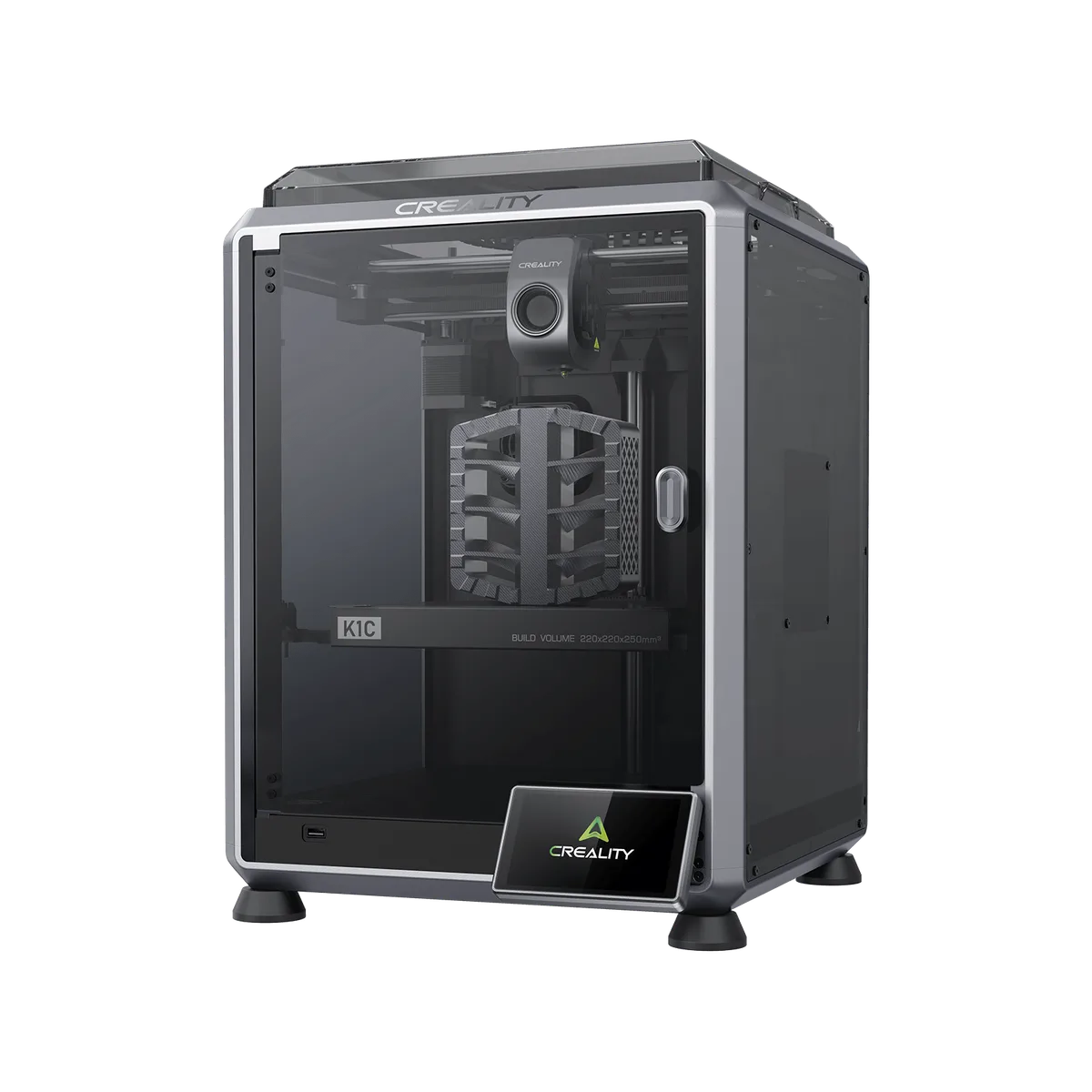
What Did the K1C Improve?
The K1C includes a number of small but genuinely useful improvements. Perhaps the most important is the nozzle wiper: bed leveling is done by sensing nozzle contact, but a small amount of filament often remains on the nozzle tip, which can throw off the measurement. The built-in nozzle wiper cleans the nozzle before every measurement, meaningfully improving the reliability of automatic leveling.
The K1C also uses the new Unicorn hotend — its advantages are a longer lifespan, better heat transfer, and more stable operation; its downside is a more expensive replacement part.
Our experience is that the factory leveling sensor also tends to fail after roughly 1,400 print hours — another sign that the machine was optimized more for home or lighter-duty use.
Hobbyist or Industrial Use?
This is arguably the key question. If you print a handful of models a month, use it at home, or make prototypes, the K1 is an excellent value-for-money choice. But if you’re running it 10–20 hours a day, doing continuous parts manufacturing, and need predictable maintenance and production reliability, the calculation changes.
In an industrial setting, a printer isn’t just about purchase price — spare-parts availability, repairability, hardware consistency, and predictable quality matter just as much. On these fronts, the K1 series is currently a compromise.
What Do We Use for Industrial Work?
Our engineering firm works with 3D printing, parts manufacturing, 3D scanning, reverse engineering, product development, and small-batch production on a daily basis. Accordingly, we don’t evaluate printers based on a few hours of testing, but on long-term operational experience — as we’ve also covered in why we chose IDEX and AMS systems, for a business the most important question is often not which printer is cheapest, but which one delivers the least downtime and the most predictable production.
Choosing the right technology is a unique engineering decision for every project: FDM is the right choice for some tasks, MSLA for others, while in certain cases 3D scanning and reverse engineering are the first step before manufacturing even begins.
Summary
The Creality K1 and K1C have undeniably reshaped the entry-level enclosed FDM printer market. Advantages: excellent price, fast printing, automatic calibration, enclosed chamber, broad material support. Disadvantages: inconsistent hardware revisions, factory QC issues, high maintenance demands, shorter-lived critical parts, and limited reliability under industrial load.
In our view, the K1 — and especially the K1C — can be a good choice for hobbyist use, smaller workshops, or lower-utilization scenarios. But if you’re looking for a solution for business-level, daily parts manufacturing, continuous production, or serving client projects, it’s worth weighing the full lifecycle cost, maintenance demands, and production reliability as part of the decision. Not sure whether buying your own printer is the right call, or would you rather trust the manufacturing to a reliable partner? Request a quote for our parts manufacturing service — our engineering team helps you choose the right technology, whether it’s 3D printing, parts manufacturing, 3D scanning, reverse engineering, prototype development, or small-batch production.
Related Articles
Planning a Similar Project?
Send us your model or drawing — free consultation, with personalized quotes within 24 hours.